 How-to
Automating Field Service Payments for Contractors
Last Updated: November 21, 2026
Quick Summary
Automating field service payments means linking job completion to invoice creation and payment collection without manual steps, so the invoice, collection method, reminder, and reconciliation connect on their own. Start by automating invoicing from the approved quote, then add payment links, reminders, and accounting sync.
- Automated payment workflows run on four stages: trigger, invoice, collection, and reconciliation.
- Automate invoice generation first, because a payment system fed by a wrong invoice just moves the error faster.
- Offer cards, ACH, and text-to-pay, choosing the mix by job type rather than customer preference.
- Collecting on site by card or text-to-pay keeps the invoice out of the receivables queue.
- Use a fixed reminder sequence: day 0 invoice, day 3 text, day 10 email, day 21 call, day 30 final notice.
Table of Contents
- How Field Service Payment Automation Works
- What Contractors Should Automate First
- Field Service Payment Processing: Choosing Your Rails
- Mobile Payments for Contractors: Collecting Before You Leave the Driveway
- Automated Invoicing for Contractors: From Job Completion to Sent Invoice
- Payment Reminders for Contractors That Get Invoices Paid
- Payment Security, Fees, and Reconciliation
- Start Collecting Payments in the Field with N3XUS FieldOS
- Frequently Asked Questions
How Field Service Payment Automation Works
Automating field service payments for contractors means linking job completion to invoice creation and payment collection without manual steps. The case for automating it is simple: the last mile of field work is where cash gets stuck.
A tech finishes a repair at 4pm. The invoice goes out at 9pm. The customer pays next week. That gap is not a payment problem. It is a handoff problem.
Field service payments are the money side of a completed job: the invoice, the collection method, the reminder, and the reconciliation back into your books. Automation connects those four things so nobody has to chase them.
According to FieldworkHQ's field service management trends analysis, the global field service management market is projected to grow from $5.64 billion in 2025 to $9.68 billion by 2030. Contractors are buying software. The question is whether they are buying the part that gets them paid.
The Four Stages of an Automated Payment Workflow
Every automated payment system, ours included, runs on the same four stages:
- Trigger - Job marked complete in the field
- Invoice - Line items pulled from the approved quote or price list
- Collection - Customer pays by card, ACH, or text link
- Reconciliation - Payment matched to invoice and posted to accounting
Most contractors automate stage two and stop. Stages three and four are where the real time savings sit.
What Contractors Should Automate First
Start with invoicing, not payments. A payment system fed by a wrong invoice just moves the error faster.
The Contractor Foreman billing automation guide makes this point directly: billing automation can magnify errors unless estimates, approvals, and retainage controls are enforced first. That is the honest warning most software demos skip.
A sensible order is:
- First: invoice generation from the approved quote
- Second: payment links attached to the invoice
- Third: automated reminders on a fixed schedule
- Fourth: accounting sync and reconciliation rules
Skip ahead to reminders and you will spend your time apologizing for invoices instead of collecting on them.
A common mistake is automating the customer-facing step before the internal one. Fix the invoice data first.
Field Service Payment Processing: Choosing Your Rails
Field service payment processing is the set of channels you accept money through. Three matter for contractors: cards, ACH, and text-to-pay. The right answer is usually a mix, chosen by job type rather than by preference.
Cards are fast and familiar. The trade-off is cost, and card fees on a large invoice are real money because the percentage scales with the amount. ACH is cheaper per transaction on large amounts but slower to clear, which matters when cash flow is tight. Text-to-pay sits on top of both: you send a link, the customer pays from their phone, and the payment posts against the invoice.
Card, ACH, and Text-to-Pay Compared
| Method | Speed | Best For | Watch Out For |
|---|---|---|---|
| Credit card | Same day | Service calls under a few hundred dollars | Processing fees eat margin on big jobs |
| ACH | 1-3 business days | Large invoices, recurring billing | Slower cash arrival; can fail after the fact |
| Text-to-pay | Same day | Collecting on site | Needs a mobile-friendly invoice and a signal |
Offer all three. Limiting customers to one channel is the fastest way to hear "I'll mail a check."
Choosing a payment mix by job type
The gap most payment guides skip is that the right rail depends on the job, not the customer. A workflow that works for a service call can be wrong for a commercial install.
- Service calls and small repairs - collect on site by card or text-to-pay before the tech leaves. The invoice is small, the fee is tolerable, and the job closes clean.
- Deposits on installs and replacements - take a card or ACH deposit at quote acceptance to fund materials. A deposit converts a maybe into a scheduled job and reduces no-shows.
- Progress payments on multi-day projects - bill at defined milestones by ACH where the amount is large, with a card option for customers who prefer it. Tie each progress invoice to a milestone in the job record so the customer sees what they are paying for.
- Final balances - collect by the channel the customer used for the deposit, which reduces friction and keeps the payment history in one place.
- Recurring service agreements - put the customer on ACH or card autopay at signing. Recurring billing is where automation pays for itself fastest because the invoice and collection run without a touch.
- Large commercial invoices - default to ACH and expect a longer approval cycle. Commercial customers often need a PO number on the invoice, so capture it at quote time rather than chasing it at collection.
Watch out: a single-channel policy forces your best commercial customer onto a rail that does not fit their accounts payable process, and the invoice sits unpaid while they sort it out.
How the rails connect to the invoice
Whichever rail you use, the payment should attach to the invoice record, not to a separate payment app. When the customer pays, the invoice status changes, the reminder sequence stops, and the payment queues for reconciliation. If the payment lives in a different system from the invoice, someone has to match them by hand, and that is the manual step automation was supposed to remove.
Mobile Payments for Contractors: Collecting Before You Leave the Driveway
Mobile payments for contractors are the single biggest cash flow lever available. Collect on site and the invoice never enters the receivables queue.
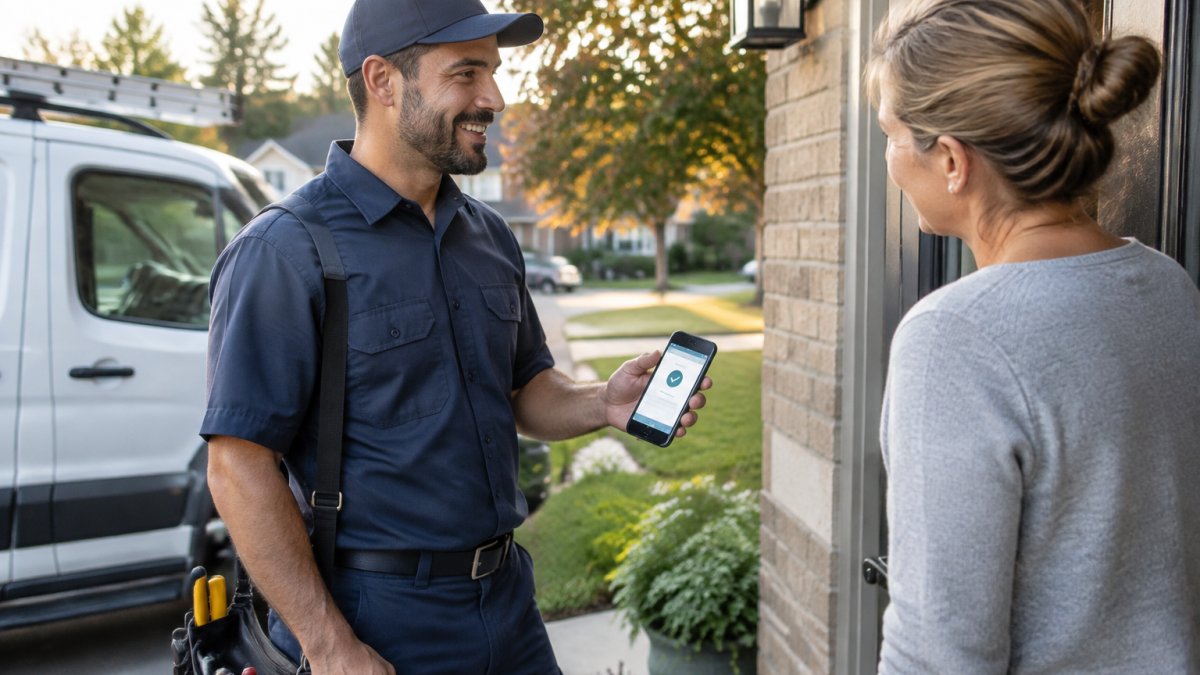
The mechanic is straightforward. Tech finishes the job, opens the invoice on the phone, and hands the device to the customer. Card tapped, receipt sent, job closed.
Watch out: an app that needs a strong signal to load the invoice will struggle in rural basements and new-build sites. N3XUS FieldOS works on one bar of signal, so job details and invoicing can still be accessed in low-connectivity conditions.
The behavioral shift matters more than the technology. Techs who collect on site stop being bill collectors on Friday afternoon.
Automated Invoicing for Contractors: From Job Completion to Sent Invoice
Automated invoicing for contractors turns the completed job into a sent invoice with no office touch. The tech marks the job done, line items pull from the approved quote, and the invoice goes out.
For a deeper walkthrough of the quote-to-invoice chain, see how to automate field service quotes.
What makes this work in practice:
- Price lists stored in the system, not in a spreadsheet
- Quotes the customer approved, carried forward as invoice lines
- Photos and notes attached to the job record
- Invoice sent before the tech pulls out of the driveway
The failure mode is a quote built by hand and an invoice rebuilt from memory. Those two documents drift apart, and the customer notices.
Payment Reminders for Contractors That Get Invoices Paid
Payment reminders for contractors work best as a fixed sequence, not a judgment call. Decide the schedule once and let it run.
A sequence that holds up:
- Day 0: invoice sent with payment link
- Day 3: friendly text with the link repeated
- Day 10: email noting the due date
- Day 21: phone call from the office
- Day 30: final notice before collections
Automated follow-ups remove the awkward part of chasing payment.
Keep the wording plain. "Invoice 1042 for $480 is due Friday. Pay here: [link]" beats a paragraph of apology.
Payment Security, Fees, and Reconciliation
Security, fees, and reconciliation are the three areas contractors under-scrutinize before switching payments on. Each one is cheaper to get right before the first live transaction than after.
Payment security and PCI scope
When a customer pays by card, the card networks' PCI DSS rules apply to every business that accepts cards. The practical way to keep that burden small is to never let card data touch your own systems. Use a processor that hosts the payment page or tokenizes the card in the field, so your software stores a token rather than a card number.
A common pattern is to keep the payment page hosted by the processor and pass only the invoice ID and amount from your field service app. That keeps most of your environment out of PCI scope. If you do store card data, even briefly, scope expands and so does the cost of compliance.
Operational controls matter as much as the processor choice:
- Require two-factor authentication on office and admin logins
- Set role permissions so technicians see only their assigned jobs and cannot void or refund
- Log every refund, void, and permission change with a user and timestamp
- Never email or text a full card number, even internally
Watch out: a technician who photographs a customer's card or writes the number on a paper ticket pulls your whole business back into PCI scope, no matter how good the software is.
Fees and total cost of ownership
Ask the processor for the full fee picture before signing, not just the headline rate. The line items that matter are the per-transaction percentage, any fixed per-transaction fee, monthly gateway or platform cost, batch or statement fees, and chargeback fees. A rate that looks low on a small service call can look different on a five-figure install invoice.
A useful exercise is to price your own average job. Take your median invoice amount and run it through each channel: card, ACH, and text-to-pay. Card fees are typically a percentage plus a fixed amount, so they scale with invoice size.
The total cost of ownership question is not just fees. It is fees plus the administrative hours you stop spending on manual invoicing, reminder calls, and reconciliation.
Reconciliation and exception handling
Reconciliation is where automation earns its keep, and where most setups quietly fail. The goal is that every payment matches an invoice and posts to accounting without a second entry. The failure modes are predictable:
- Partial payments - a customer pays part of an invoice; the system must leave a visible balance rather than marking the invoice paid
- Overpayments - a customer pays twice or rounds up; you need a credit or refund path, not a silent mismatch
- Failed ACH - ACH can fail days after the customer thought they paid; the invoice must reopen and the reminder sequence must resume
- Chargebacks - a card dispute reverses the payment and adds a fee; you need the job record, photos, and signed approval ready to respond
- Unapplied payments - money arrives without a matching invoice reference; a queue for unapplied cash beats a manual spreadsheet hunt
A reconciliation rule set that holds up: match on invoice number first, then on amount and customer, and route anything that fails both to an exception queue for a human. Our guide to integrating field service software with QuickBooks covers the sync setup and how to avoid duplicate data entry.
What to check before you switch on payments
Run this checklist before going live:
- Test a card payment end to end on a real job
- Test an ACH payment and confirm the clearing time and failure notification
- Confirm offline invoicing works with signal off
- Verify payments post to accounting without manual entry
- Set user permissions per role and test a refund as a technician
- Document your refund, chargeback, and partial-payment process
- Train techs on the on-site collection script and the no-card-photos rule
Start Collecting Payments in the Field with N3XUS FieldOS
The gap between a finished job and a paid invoice is where small trade businesses lose cash. Closing it takes a workflow, not a payment app bolted onto a paper process.
N3XUS FieldOS handles scheduling, dispatch, quotes, invoicing, and job history in one system for HVAC, plumbing, electrical and appliance repair businesses. It works on one bar of signal, so a tech in a low-connectivity location can still pull job details and work with invoicing.
If you want to see the revenue leaks automation should target first, read why field service companies lose revenue. When you are ready to move, dispatch at the speed of the job and get started with FieldOS.
The challenge is not choosing a payment processor. It is rebuilding the handoff between the field and the office so money moves the moment the work is done.
Frequently Asked Questions
What is the most efficient payment method for contractors?
It depends on the job size. Card and text-to-pay collect the fastest, which suits service calls and smaller repair invoices. ACH costs less per transaction and suits large invoices and recurring service agreement billing, though funds take longer to settle. Most contractors offer both and let the customer choose at the point of payment. The efficiency gain comes from having the payment link attached to the invoice automatically, so nobody has to chase it later.
How can contractors collect payment immediately after a job?
Attach a payment link to the invoice and send it before the technician leaves the property. With mobile payments built into a field service app, the invoice can be sent before the technician leaves the property. This removes the gap between job completion and payment collection, which is where most small trade businesses lose cash flow.
How do field service businesses automate invoicing and payment reminders?
Automated invoicing can generate an invoice from the completed job record, and reminders can be scheduled at fixed intervals after the due date.
What should contractors look for in mobile payment processing?
Check four things: whether the app works offline or on weak signal, the per-transaction fees on card and ACH, how payments reconcile back to the job record, and whether the customer can pay without creating an account. A platform that only works on strong signal will fail in basements and rural service calls. N3XUS FieldOS works on one bar of signal.