 blog
blog
Field Service Management Software for HVAC: 2026 Guide
Table of Contents
- What Field Service Management Software Does for HVAC Companies
- Core Features: Dispatching, Scheduling, and Mobile Access
- HVAC Dispatch Software: Managing Seasonal Workflows and Route Optimization
- Quoting, Estimating, and Work Order Management
- HVAC Field Service Software Pricing: What to Expect and Budget
- HVAC Software for Small Businesses: Scaling Without Complexity
- HVAC CRM Software: Customer Records, Service History, and Maintenance Agreements
- Integration, Migration, and Implementation: Avoiding Data Loss and Downtime
- Frequently Asked Questions
Last Updated: October 9, 2026
What Field Service Management Software Does for HVAC Companies
Field service management software transforms how HVAC contractors run their operations. N3XUS Field OS is designed to eliminate the friction that slows businesses: manual data re-entry, delayed quotes, and slow invoices.
The core problem is fragmentation: your dispatcher uses one tool, technicians carry job cards, office staff re-type quotes, and your accountant waits for paperwork. Each handoff introduces delays and errors.
Core Features: Dispatching, Scheduling, and Mobile Access
Effective field service management software HVAC contractors rely on must handle two workflows: getting the right technician to the right job at the right time, and giving field teams instant access to information without returning to the office.
Real-Time Dispatching and Technician Assignment
Dispatching is where most HVAC field service software proves its value immediately.
When a customer calls with an emergency, your dispatcher assigns the nearest available technician instantly.

Mobile Apps for Field Technicians
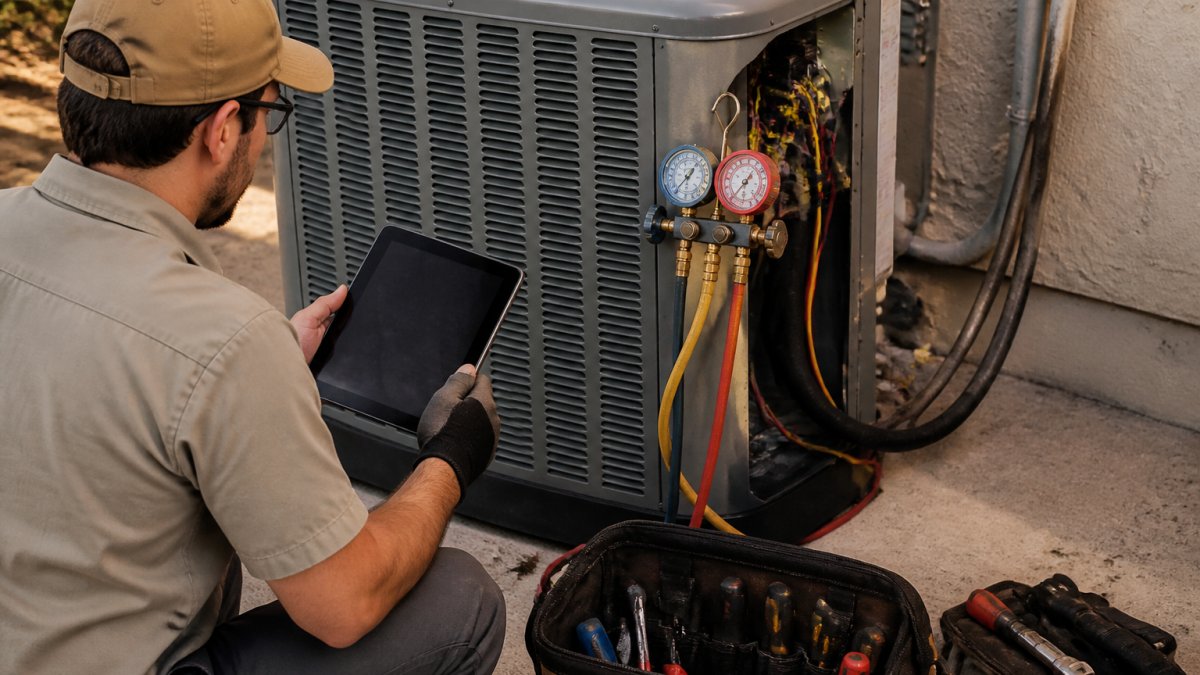
Mobile access separates field service management software HVAC teams actually use from systems that sit idle. Technicians need to pull up job details, customer history, and equipment records without asking the office, photograph issues, document work, capture signatures, and generate quotes on-site, not hours later in the office.
A mobile-first field service management software HVAC contractors depend on lets technicians work offline; jobs sync when connection returns, preventing lost data or duplicate entries. Voice-to-text lets techs capture notes hands-free, critical since most HVAC work requires both hands.
HVAC Dispatch Software: Managing Seasonal Workflows and Route Optimization
HVAC dispatch software must adapt to seasonal demand. Winter heating emergencies create call spikes that flatten in summer, while maintenance agreements require year-round scheduling flexibility.
Route optimization cuts travel time by grouping nearby jobs and sequencing stops intelligently, reducing fuel costs and increasing appointments completed per day, critical during peak season when every hour counts.
Seasonal workflows also include maintenance agreement scheduling.
Quoting, Estimating, and Work Order Management
Speed matters in HVAC sales. A quote that takes three days loses deals to competitors who quote same-day. Field service management software HVAC companies use should enable on-site quoting, reducing the quote-to-close cycle from days to hours. Streamlining these financial workflows ensures that the revenue captured from rapid quoting transitions seamlessly into accurate bookkeeping for HVAC businesses.
On-Site Quote Generation
The fastest companies generate quotes while still at the customer's home. Your technician assesses the job, documents findings with photos, and builds a detailed estimate right there. Some field service management software uses voice-to-text: the tech describes the work, and the system drafts a professional quote automatically.
This eliminates the back-and-forth where customers wait for office staff to compile estimates and sales teams chase technicians for missing details. Quotes go out same-day.
Work Orders and Job Forms
Work orders are the contract between office and field, telling your technician what the customer approved, what parts are authorized, and the budget. Digital work orders eliminate paper forms lost or damaged in vans and sync with inventory to prevent over-ordering or stock-outs mid-job.
Job forms capture the data your business needs, equipment serial numbers, system age, service history, and customer preferences, feeding your CRM and service history so the next technician's visit is faster and better informed.
HVAC Field Service Software Pricing: What to Expect and Budget
Pricing is where most software buying decisions stall. Vendors rarely publish full numbers, and the per-technician sticker price is only part of what you pay. To compare fairly, model total cost of ownership across at least three years, not just the monthly subscription.
The Four Cost Buckets Buyers Should Model
1. Per-technician subscription. Most platforms price per field technician per month, tiered by feature depth.
**2.
3. Add-ons and integrations. Payment processing (card fees), SMS/email automation, accounting sync (QuickBooks, Xero), VoIP/phone integration, and customer financing tools are often metered or sold as add-ons.
4. Contract and exit costs. Annual vs. monthly billing, auto-renewal clauses, per-user overage charges, and data-export fees all affect real cost.
A Simple TCO Worksheet
For each vendor, calculate:
- (Per-tech monthly price × number of technicians × 12) × 3 years
-
- Implementation fee (one-time)
-
- Estimated add-on spend per month × 36
The last line is where companies usually find the payback. If a platform saves your office staff 10 hours a week at a meaningful loaded admin rate, the subscription often pays for itself well before year one ends. Run the math with your own numbers, don't accept a vendor's ROI slide.
Pricing Models to Watch For
- Flat per-technician: Predictable, scales cleanly, easiest to budget.
- Tiered per-technician: Fine if you actually use the higher-tier features; wasteful if you upgrade for one feature.
- Per-transaction or per-invoice: Dangerous for HVAC, where dozens of jobs per day are normal. Fees compound fast.
Avoid platforms that charge per transaction or per invoice on top of a subscription. In service work, where a single technician may close several jobs a day, transaction fees can quietly exceed the subscription itself. Flat per-technician pricing is more predictable and scales better as you grow.
Ask every vendor for a written three-year cost estimate that includes implementation, add-ons, and payment processing, not just the subscription.
The cheapest per-technician price is rarely the lowest total cost. Model subscription, implementation, add-ons, and payment fees together, then subtract the admin hours you expect to reclaim. That number, not the sticker price, is what you're actually buying.
HVAC Software for Small Businesses: Scaling Without Complexity
Small businesses, 10 to 30 technicians, face a unique challenge: they need professional-grade field service management software teams can adopt quickly, without enterprise complexity.
Look for straightforward onboarding, your team shouldn't need weeks of training for basic features.
Scalability matters too. As you hire technicians, your software should handle increased volume without breaking or requiring a full migration. A system built for growth serves you for years.
HVAC CRM Software: Customer Records, Service History, and Maintenance Agreements
HVAC CRM software is the memory of your business. Every service call, repair, and maintenance agreement lives in your CRM.
Maintenance agreements are the profit engine for many HVAC companies. Your CRM should track active agreements, included services, next visit dates, and completion.
Customer communication flows through your CRM too. Appointment reminders, service completion notifications, and seasonal maintenance prompts go out automatically, reducing no-shows, keeping customers engaged, and creating upsell opportunities when you document what's done and what's needed next.
Integration, Migration, and Implementation: Avoiding Data Loss and Downtime
Most HVAC software reviews stop at features. The harder question, and the one that determines whether the switch actually works, is how you get your existing customer, equipment, and financial data into the new system without losing history or stalling operations. This section lays out a practical rollout plan that feature-led pages rarely cover.
What Actually Needs to Migrate
Before you talk to any vendor, inventory what you have:
- Customer records: names, service addresses, billing addresses, contacts, communication preferences.
- Equipment history: installed units, serial numbers, install dates, warranty status, service log.
- Service agreements: active maintenance contracts, coverage terms, renewal dates, visit schedules.
A common pattern is that vendors handle customers and work orders cleanly but struggle with equipment history and attachments. Confirm in writing which of these are in scope.
A Realistic Rollout Sequence
A typical small-to-mid company (10-30 technicians) should plan for roughly 6-10 weeks from contract to full go-live. A workable sequence:
- Discovery and data mapping (week 1-2). Export your current data. Identify duplicates, missing fields, and records that don't fit the new schema. Decide what to archive vs. migrate.
- Configuration (week 2-4). Build job forms, service agreement templates, pricing books, and dispatch rules. Match them to how your team actually works, not to a vendor's default template.
- Data migration and verification (week 3-5). Import in stages: customers first, then equipment, then agreements, then open jobs. Spot-check records against the source system before declaring migration complete.
- Power-user training (week 4-6). Train dispatchers and one or two senior technicians first. They become your internal champions and catch workflow problems before the rest of the team sees them.
- Parallel run (week 6-8). Run the new system alongside the old one for one to two weeks. Keep the old system read-only but accessible as a safety net.
- Full cutover and hypercare (week 8-10). Turn off the old system, but keep a support channel open for the first two weeks. Expect a spike in questions; plan for it.
Integrations That Matter for HVAC
- Accounting: QuickBooks Online and Xero are the most common. Look for two-way sync so invoices, payments, and customer records stay aligned without manual reconciliation.
- Payments: card-on-file, ACH, and financing options (e.g., consumer financing partners) matter for large installs.
- Phones/VoIP: call logging tied to customer records reduces dispatcher lookup time.
- Manufacturer portals: some HVAC OEMs offer parts and warranty lookups; API availability varies.
Adoption Risks to Plan For
- Technician resistance. Field techs adopt tools that save them time and reject tools that add steps. If the mobile app is slower than a paper form, adoption fails regardless of office benefits.
- Dispatcher workflow disruption. Dispatch is the highest-stakes role during cutover. Give dispatchers extra training and a direct line to vendor support.
- Data trust. If migrated records look wrong, the team stops trusting the system. Verify before go-live, not after.
- Scope creep. Every 'while we're at it' request delays go-live. Freeze configuration two weeks before cutover.
How to Measure a Successful Implementation
Set go-live success criteria before you start. Reasonable targets for the first 90 days:
- 100% of new jobs created in the new system (no shadow spreadsheets).
- Invoices sent same-day for at least the majority of completed jobs.
- Maintenance agreement renewals tracked and scheduled automatically.
- Dispatcher time-to-assign under a target you set during discovery.
Ask the vendor for references from companies of similar size and service mix, residential vs. commercial matters. A reference from a 200-tech commercial contractor tells you little about a 15-tech residential shop.
Never let a vendor delete your old system's data on a fixed date. Keep a full export of customers, equipment, and financials in your own storage. Data ownership and exportability are part of vendor risk.
Frequently Asked Questions
What features should HVAC companies look for in field service management software?
Prioritize dispatching and real-time technician assignment, mobile access for field crews, automated quoting and work order generation, invoicing with payment collection, and integration with accounting systems like QuickBooks. For HVAC specifically, look for seasonal workflow support, preventive maintenance scheduling, equipment record tracking, and parts inventory management tied directly to jobs. The software should also enable technicians to generate professional quotes on-site and capture service history for each customer.
How much does HVAC field service management software cost?
Pricing depends on the number of technicians, features included, integration requirements, and whether you need mobile apps and payment processing. Contact vendors directly for current pricing and quotes tailored to your business size. Many offer free trials so you can evaluate whether the investment delivers measurable ROI through reduced administrative time and faster invoice turnaround.
Can HVAC field service software handle dispatching, scheduling, and invoicing in one platform?
Yes, modern field service management software consolidates all three functions into a single unified system. Dispatchers assign jobs to technicians in real time, scheduling syncs across mobile apps and the office, and invoicing is generated automatically from completed work orders. This eliminates manual data re-entry between separate tools. The best platforms also link invoicing to payment collection and accounting integration, so cash flow and technician payouts happen automatically without additional steps.
How do HVAC companies choose software that fits their team size?
Start by counting your technicians and estimating monthly jobs, then compare pricing per user or per job. Small operations should prioritize ease of adoption and minimal setup time; avoid overly complex enterprise platforms. Mid-sized companies benefit from stronger automation and integration features. Check whether the vendor has case studies or customers at your scale, and ask about implementation support and training. A free trial or demo with your actual workflow is the best way to confirm the software works for your team size and operational model.