 Comparison
7 Zuper Alternatives for Residential Property Management in 2026
Quick Summary
A zuper alternative suits residential property management teams whose core work is leases, rent, and owner reporting rather than dispatch. The best option depends on whether a single request can move from tenant submission to owner-approved, paid, and archived without re-entering data.
- Map the full maintenance lifecycle, from tenant intake through record retention, against each candidate platform.
- Run one real request end to end through each platform before signing, including export of records.
- Normalize quotes by base fee, per-unit fee, setup charge, and payment processing rate before comparing.
- Plan migration carefully and run old and new systems in parallel for one billing cycle.
- Confirm how long a platform retains tenant request records after a lease ends or you cancel.
Table of Contents
- Why Teams Look for a Zuper Alternative for Residential Property Management
- What Zuper Is and Where It Fits (and Where It Doesn't)
- Residential Property Management Software vs Field Service Software
- Maintenance Request and Property Maintenance Work Order Software Compared
- Scheduling and Dispatch: Field Service Scheduling and Dispatch Software Criteria
- Alternatives Side by Side: Buildium, AppFolio, DoorLoop, Yardi Breeze, and N3XUS Field OS
- Choosing and Migrating Your Next Platform in 2026
- Frequently Asked Questions
Why Teams Look for a Zuper Alternative for Residential Property Management
Last Updated: November 1, 2026
Teams searching for a zuper alternative usually have a specific gap: the tool was built for dispatching trades, not for running a residential portfolio. N3XUS Field OS is one option we cover here.
Most property management operations juggle maintenance requests, tenant communication, rent, and owner reporting in separate places. The mismatch shows up quickly when a leasing office has to chase work orders across tools that never talk to each other.
A common mistake is judging alternatives only on price per seat. The real cost shows up in re-entered data, missed follow-ups, and technicians who call the office because the app does not fit their workflow.
Our recommendation is to define the core workflow first, then test each platform against it. That keeps the comparison grounded in what your team actually does every day.
What Zuper Is and Where It Fits (and Where It Doesn't)
The practical test is simple. If most of your daily work is work orders and dispatch, a field-first tool may suit you. If most of your work is leases, rent, and owner reporting, look at property management platforms first.
Residential Property Management Software vs Field Service Software
Here is how they usually differ:
| Area | Residential property management | Field service |
|---|---|---|
| Core record | Property, unit, lease | Job, customer, asset |
| Main users | Leasing staff, owners | Dispatchers, technicians |
| Money flow | Rent, deposits, owner statements | Invoices, technician payouts |
| Maintenance | Tenant-requested work orders | Scheduled service visits |
Many firms end up needing both. The question is which system should own the record, and where data should flow between them.
Maintenance Request and Property Maintenance Work Order Software Compared
A tenant submits a request, staff triage it, a vendor gets assigned, the owner approves costs above a threshold, and the completed work has to land in the property's financial record. A platform that handles only the dispatch step leaves the rest to spreadsheets and email.
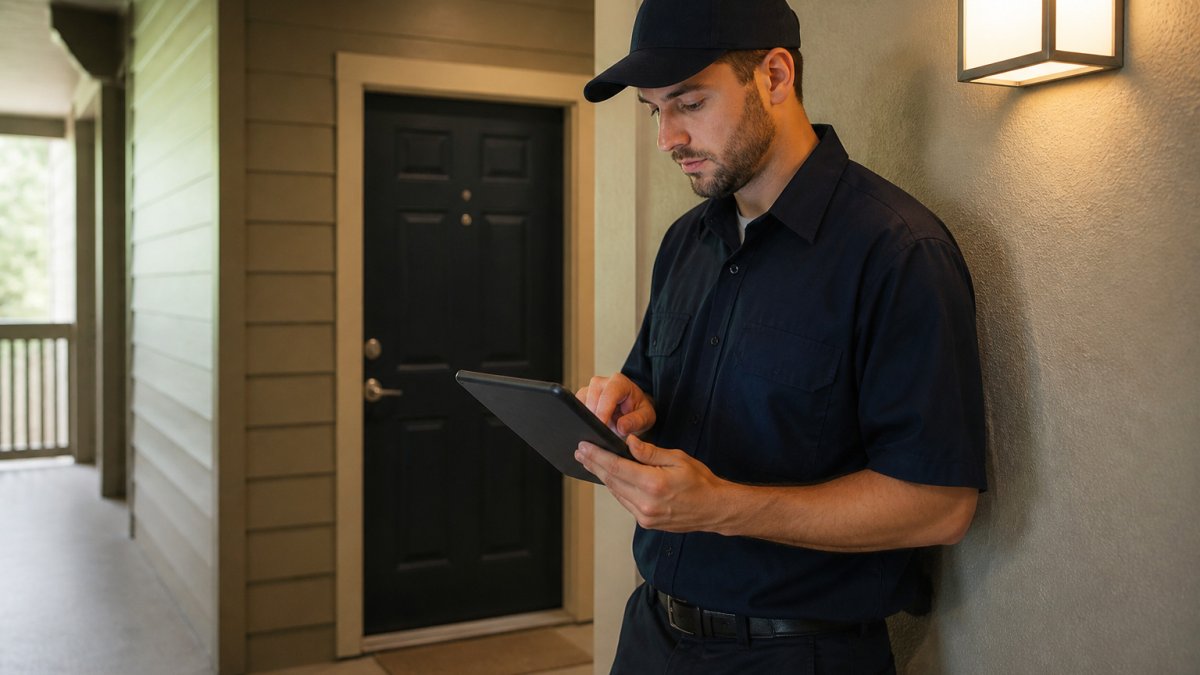
A property maintenance technician checking a tablet in a residential hallway is the everyday reality this software has to support. The workflow-level test is whether a single request can move from tenant submission to owner-approved, paid, and archived without re-entering data in another system. Seamless integration across these touchpoints remains the primary benchmark for evaluating alternatives for property managers seeking to modernize their operational oversight.
The residential maintenance lifecycle to map against each platform:
- Tenant intake, Can residents submit requests from a portal or app, attach photos, and set urgency? Does the system log every message so there is a defensible record?
- Triage and assignment, Can staff route by property, trade, or vendor availability? Does the system show whether a vendor is licensed, insured, and available in the tenant's area?
- Owner approval, Is there a configurable dollar threshold above which the owner must approve before work proceeds? Can approval happen from a phone?
- Vendor coordination, Are arrival windows sent to the tenant automatically? Can the vendor update status from the field, and does that status flow back to the tenant and the office?
- Completion and billing, Does the completed work order generate an invoice tied to the correct property and owner, and does it sync to accounting without re-typing?
- Record retention, Are photos, approvals, and invoices retained per property for the period your jurisdiction or owner agreements require?
Where field-service tools and residential suites differ:
- N3XUS Field OS links scheduling, dispatch, stock, and invoicing in one unified record.
Practical evaluation questions to ask each vendor:
- Can a tenant submit a request without creating a full account?
- Is the owner approval threshold configurable per property or per owner?
- Does the vendor mobile app work offline in basements and older buildings?
- Does a completed work order post to the property's accounting record automatically?
- What happens to maintenance records if you switch platforms, can you export them?
Run one real request through each candidate platform end to end, tenant submission, triage, vendor assignment, owner approval, invoice, and export, before signing. That single test reveals more than any feature checklist.
Scheduling and Dispatch: Field Service Scheduling and Dispatch Software Criteria
Dispatch matters most when you run your own maintenance crew. Field service scheduling and dispatch software should show who is available, where they are, and what job comes next.
Evaluate scheduling against your real volume. A crew of three needs something very different from a dispatch desk handling dozens of daily visits.
Important criteria:
- Route optimization across properties in the same area
- Real-time technician status updates
- Job reassignment when a visit runs long
- Notifications to tenants about arrival windows
N3XUS Field OS links job scheduling, dispatch, stock, and invoicing in one unified record, so a dispatcher's changes flow through to billing without re-typing.
Alternatives Side by Side: Buildium, AppFolio, DoorLoop, Yardi Breeze, and N3XUS Field OS
| Platform | Reported starting price | Residential fit | Main trade-off |
|---|---|---|---|
| Buildium | ~$62/month (Essential tier) | Single-family, small multifamily, HOAs | Entry tier caps units; advanced accounting and e-sign often require upgrades |
| AppFolio | ~$1.49/unit/month, often with a monthly minimum | 50+ unit portfolios, multifamily | Minimums and onboarding fees can price out small landlords |
| DoorLoop | ~$2.50/unit/month (Starter) | Small to mid-size residential | Per-unit pricing scales linearly; premium features tiered |
| Yardi Breeze | ~$1/unit/month with a ~$100 monthly minimum | Residential packages, mixed portfolios | Minimum hurts portfolios under ~100 units |
| N3XUS Field OS | Free tier; paid pricing on request | Teams whose core work is field jobs and invoicing | Not a leasing/rent-collection suite, pair with a property system |
N3XUS Field OS offers AI-powered quote drafting from voice notes, two-way QuickBooks Online sync, and Stripe-backed technician payouts.
Pricing depends on team size and feature needs. For current pricing, visit the N3XUS Field OS website or request a quote.
Choosing and Migrating Your Next Platform in 2026
Switching platforms is the step most teams underestimate. Plan the migration before you sign.
Start with a simple checklist:
- Export historical job and customer data from your current system
- Confirm how the new platform maps to your QuickBooks setup
- Run both systems in parallel for one billing cycle
- Train technicians on the mobile app before cutover
- Set a rollback date in case of data issues
A common mistake is migrating everything at once. Move one property group or one crew first, then expand.
Frequently Asked Questions
What is the best alternative to Zuper for residential property management?
The right choice depends on whether you run a residential portfolio or a field service crew. Compare each platform's work order, scheduling and owner reporting features against your own workflow, and check current pricing directly with each vendor before deciding.
Is Zuper designed for residential property management?
Residential managers often need lease administration, rent collection and owner statements alongside maintenance dispatch. If those features matter to your portfolio, a property management system or a platform that bridges both categories will usually fit better than a field service tool alone.
What features should residential property managers look for in field service software?
Prioritize a unified work order record that tracks each maintenance request from intake to invoice, mobile access for technicians in the field, scheduling that accounts for tenant availability, inventory linked to jobs, and integration with your accounting system. Ask vendors how they handle recurring preventive maintenance and whether tenants can submit and track requests themselves. Test these workflows with a real request before committing.
Can field service software manage residential maintenance requests and work orders?
Many field service platforms can create, assign and track maintenance work orders, which covers much of the dispatch side of residential maintenance. Gaps often appear in tenant-facing request portals, lease-linked records and unit-level history. Confirm these capabilities during a trial, and plan for how maintenance data will sync with your rent and owner accounting.