 How-to
How to Use Voice Notes for Field Documentation
Last Updated: November 4, 2026
Quick Summary
Use voice notes for field documentation by speaking a fixed five-part script on site: site, issue, action, parts, and next step. Record before leaving the job with a close-talk mic, then let the note flow into quotes, jobs, and invoices instead of retyping it.
- Speaking a note takes seconds, while typing takes minutes and paper takes longer still.
- Voice-to-text handles clear dictation well but struggles with noise, jargon, and fast talk.
- A clip-on lavalier or boom headset is the single highest-leverage fix on a loud site.
- Say numbers digit by digit and repeat them to give the engine two chances.
- Set a fixed retention window and log every playback of a recording for compliance.
Table of Contents
- Why Voice Notes Beat Paper and Typing in the Field
- Voice-to-Text for Field Notes: What It Handles and What It Misses
- A Field Documentation Voice Note Template That Works Every Time
- Voice Note Examples for Field Service Technicians
- Best Practices for Recording Field Notes Without Rework
- From Audio to Action: Turning Voice Notes into Quotes, Jobs, and Invoices
- Security, Privacy, and Compliance for Field Audio
- Start Capturing Voice Notes in N3XUS Field OS
- Frequently Asked Questions
Why Voice Notes Beat Paper and Typing in the Field
The pen and keyboard are the slowest part of a technician's day.
A tech's hands should stay on the job, not on a form. Speaking a note takes seconds; typing takes minutes, and paper takes longer still.
The Real Cost of Manual Field Documentation
Manual documentation costs more than time. It costs accuracy: techs write notes hours later, from memory, and details blur.
Paper notes also get lost, smudged, or left in a van, and someone in the office retypes them, the same job done twice.
Voice notes remove the retype step. You speak once, and the note is already in the system.
If cutting that double entry is your goal, our guide on how to reduce manual data entry for technicians walks through the full workflow.
Where Voice Notes Still Fall Short
Voice notes are not magic. A noisy rooftop or a running compressor can wreck a recording. Technical jargon trips up transcription engines too.
A ForensicNotes analysis of voice-to-text limits in field work points out that background noise and trade terms cause errors that need manual review.
The honest answer: voice notes win big in quiet moments and lose ground in chaos.
Voice-to-Text for Field Notes: What It Handles and What It Misses
Voice-to-text for field notes handles plain speech well and struggles with three things: noise, jargon, and fast talk. Set expectations there and you will not be disappointed.
Voice-to-text converts spoken words into written text using speech recognition software.
Here is what works and what does not:
- Handles well: clear dictation, standard trade terms, short sentences, quiet rooms
- Handles poorly: heavy accents, overlapping voices, loud machinery, invented part names
- Needs review: numbers, model codes, addresses, and anything that becomes a quote
Accuracy, Noise, and Jargon: Setting Realistic Expectations
Plan for editing, not perfection.
A common mistake is assuming the transcript is final. It is a draft someone still has to check.
Want a deeper look at where transcription helps and where it hurts for trade crews? Our breakdown of voice note transcription wins for HVAC technicians covers the specifics.
How Speech Recognition Actually Fails in the Field
- Acoustic masking. A running compressor, a vacuum pump, or wind across a phone mic adds broadband noise that drowns out consonants. The engine guesses the missing sounds and often guesses wrong on numbers and model codes.
- Domain vocabulary gaps. Part numbers, brand names, and trade shorthand ("condenser fan motor," "3/4-inch PEX," "20A single-pole") are not in general-purpose language models. The engine substitutes the closest common word, so "PEX" becomes "pex" or "pecks" and "20A" becomes "twenty a."
- Disfluency and overlap. Filler words, self-corrections, and two techs talking at once break the sentence boundary the engine relies on. The transcript merges two thoughts into one and drops the second.
Mitigations That Actually Move the Needle
You cannot eliminate these failure modes, but you can shrink them with a few habits and settings.
- Use a close-talk mic or headset. A clip-on lavalier or a boom headset keeps the voice signal well above ambient noise. This is the single highest-leverage fix on a loud site.
- Add a custom vocabulary list. Most engines let you upload a list of part numbers, brand names, and site names. Feeding the engine your trade's vocabulary cuts substitution errors on the words that matter most.
- Speak in short, complete sentences. One idea per sentence gives the engine a clean boundary and gives the reviewer a clean unit to check.
Watch out: a custom vocabulary list only helps if maintained. Stale part numbers and retired brand names can push the engine toward wrong substitutions, so review the list quarterly.
What "Good Enough" Accuracy Looks Like for Field Notes
For a quote or invoice line, near-perfect accuracy is not the goal, a transcript a reviewer can verify in seconds is. A note with a clear site, issue, and action is usable even if a filler word is wrong; a note with a wrong model code is not, because the office cannot order the part. Prioritize accuracy on numbers, codes, and names, and accept minor errors in prose.
A Field Documentation Voice Note Template That Works Every Time
A field documentation voice note template is a fixed five-part script a technician speaks into their phone so every note arrives complete. The structure removes the guesswork.
The Five-Part Structure: Site, Issue, Action, Parts, Next Step
Use this script on every job. Speak it in order and nothing important gets skipped.
"Site: [address and unit]. Issue: [what is wrong]. Action: [what I did]. Parts: [what I used or need].
Here is a filled example:
"Site: 42 Oak Lane, unit 3B. Issue: AC not cooling, filter clogged and coil dirty. Action: replaced filter, cleaned coil, checked refrigerant. Parts: one 20x25 filter from stock. Next step: customer wants a quote for a coil cleaning plan."
That is one note capturing the site, problem, fix, parts, and follow-up, nothing to retype later.
Speak the five parts in order and every note arrives complete.
| Part | What to say | Example from the article |
|---|---|---|
| Site | Address and unit | 42 Oak Lane, unit 3B |
| Issue | What is wrong | AC not cooling, filter clogged, coil dirty |
| Action | What I did | Replaced filter, cleaned coil, checked refrigerant |
| Parts | What I used or need | One 20x25 filter from stock |
| Next step | What happens next | Customer wants a quote for a coil cleaning plan |
Voice Note Examples for Field Service Technicians
Voice note examples for field service technicians follow the same five-part shape, but the content changes by trade.
Plumbing:
"Site: 18 Mill Road. Issue: slow drain in the main bath.
Electrical:
"Site: 7 Cedar Court. Issue: breaker tripping in the kitchen. Action: found a loose neutral, tightened the connection. Parts: one 20A breaker. Next step: return in a week to confirm."
Roofing:
"Site: 90 Hill Street. Issue: missing shingles after the storm. Action: tarped the section, took photos.
Each note is spoken in under a minute and gives the office everything it needs to act.
Best Practices for Recording Field Notes Without Rework
Best practices for recording field notes come down to one goal: clean audio the first time so nobody has to fix it later. Most rework starts with a bad recording, not a bad tool.
Hardware and Environment: Getting Clean Audio on Site
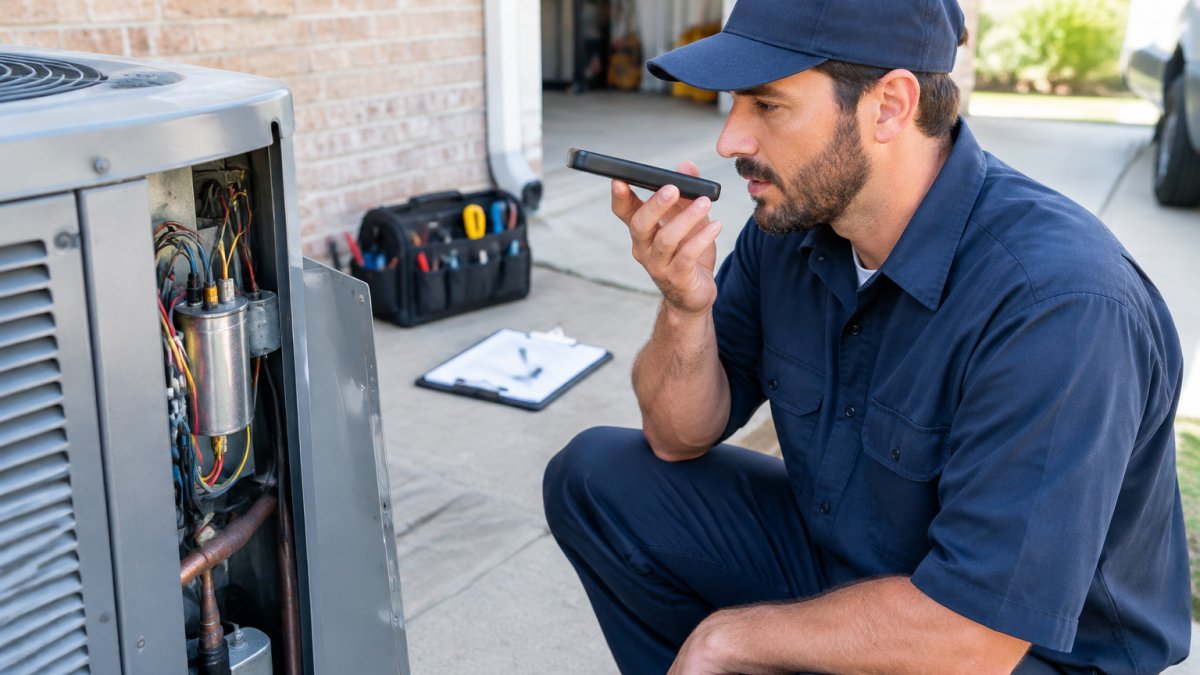
Hardware matters more than most guides admit. A cheap phone mic picks up wind and engine noise; a clip-on mic or headset cuts that down.
Try these habits on every job:
- Step away from running equipment before you speak
- Hold the phone close, about a hand's width from your mouth
- Speak in short sentences, one idea at a time
Watch out: recording next to a running compressor can bury half your note in noise. You will not know until someone plays it back.
From Audio to Action: Turning Voice Notes into Quotes, Jobs, and Invoices
Turning voice notes into quotes, jobs, and invoices is where the real payoff sits.
This is the step most tools skip. They transcribe, then stop. The office still retypes the result into a quote, a job, and an invoice.
N3XUS Field OS closes that loop. Its AI-powered quote drafting reads a voice note and builds a professional quote on-site.
If quotes are your bottleneck, see how to automate field service quotes from captured notes. And when it is time to bill, our QuickBooks integration guide covers the sync.
Offline-First Capture and Post-Processing Workflows
Offline-first capture means the app records and stores notes with no signal, then syncs when the tech is back in range. Basements, rural sites, and steel buildings all kill connectivity.
Post-processing is the cleanup step. A hybrid approach that pairs offline audio capture with AI-supported analysis improved both speed and quality of field data collection in a remote pilot run by ICIMOD in Nepal.
Security, Privacy, and Compliance for Field Audio
Security, privacy, and compliance for field audio rarely come up in "best of" lists. They should.
Ask three questions before you pick a tool:
- Where is the audio stored, and is it encrypted?
- Who can play back a recording, and is that logged?
- How long are recordings kept, and can they be deleted on request?
Regulated industries carry extra weight here. Health details, security codes, and personal data all need handling rules.
The U.S. Federal Trade Commission's data security guidance sets out the principle plainly: collect only what you need, protect it, and delete it when it is no longer needed.
The Regulated-Industry Angle Most Guides Skip
This is the gap in nearly every voice-note guide: they treat audio as a convenience feature, not as a record with legal weight. In construction, social work, home health, and property management, a voice note can contain protected health information, a vulnerable adult's address, or a security code. That changes the rules.
- HIPAA-adjacent work. If a note mentions a patient's condition, medication, or visit details, the recording may be protected health information. Storing it on a consumer app with no business associate agreement is a compliance problem, not just a privacy preference.
- Social work and case management. Case notes often include names, addresses, and sensitive family details. Retention schedules and deletion-on-request duties apply to the audio, not only the transcript.
- Property management and security. Gate codes, alarm codes, and lockbox locations in a voice note are a physical security risk if the recording leaks.
Retention, Access, and Deletion Mechanics
Compliance is mostly mechanics. Decide these before you roll out voice notes, not after.
- Retention window. Set a fixed period (for example, 30, 90, or 180 days) after which audio is automatically deleted. The transcript can outlive the audio if your policy allows.
- Access logging. Every playback of a recording should be logged with user, time, and reason. This is what lets you answer "who heard this?" in an audit.
- Role-based access. Field techs should see their own notes; office staff should see notes for jobs they manage; no one should see everything by default.
Watch out: a transcript that contains a gate code or a patient detail is just as sensitive as the audio. Deleting the recording but keeping the transcript does not remove the compliance obligation.
A Practical Compliance Checklist for Voice Notes
Before you let a crew record, confirm the following with your tool vendor and your own policy:
- Signed data processing agreement or business associate agreement where required
- Encryption on device, in transit, and at rest
- Access logging and role-based permissions
None of this is exotic, it is the same discipline you already apply to paper records and email, applied to a new capture format. Teams that treat voice notes as records, not voice memos, can adopt them in regulated work without creating liability.
Start Capturing Voice Notes in N3XUS Field OS
The gap between a spoken note and a sent invoice is where field businesses lose hours. Close it, and the whole day speeds up.
N3XUS Field OS turns voice notes into quotes, jobs, and invoices from one unified record. It syncs two ways with QuickBooks Online and settles technician payouts through Stripe-backed processing.
Free plan available.
Ready to stop retyping? Start free and get your crew recording.
Frequently Asked Questions
How do you use voice notes for field documentation?
Record a structured voice note on your phone at the job site, covering the property address, the issue you found, the work performed, parts used, and the recommended next step. The recording is then converted to text through speech-to-text and attached to the job record.
What should you include in a field voice note?
Use a consistent template: site and job ID, the problem observed, the action taken, parts or materials used, and the next step or follow-up needed. Add any safety observations or customer comments while they are fresh. A field documentation voice note template keeps notes comparable across technicians, which makes them easier to turn into quotes and work orders later. Speak in short, complete sentences and state numbers clearly.
Are voice notes accurate enough for field documentation?
Accuracy depends on audio quality and vocabulary. Background noise and trade-specific jargon can cause transcription errors, so a quick review before a note becomes a quote is essential. Treat the transcript as a draft that a technician or dispatcher confirms.
How can field teams organize and find voice notes later?
Attach every recording to a job or asset record rather than leaving it in a phone's voice memo app. Metadata such as date, site, technician, and job number makes notes searchable. N3XUS Field OS keeps voice notes linked to a unified job record, so dispatchers and finance staff can work from the same job details.
Manual notes cost you time you never get back. Get started with N3XUS Field OS and turn every voice note into a quote, a job, and a paid invoice.